
Tutorial on How To Sign Up on Epiko Regal and How to Connect Wallet on Epiko Market
Here’s your chance to earn rewards with Magic Store and Epiko Market! Download and install the Epiko Regal App, sign up with your email address (this will serve as your first proof of work), and visit the Epiko Market website to register with your wallet address (this will be your second proof of work), verify your email address and set your username. Complete these steps and earn $2 USDT for your efforts!
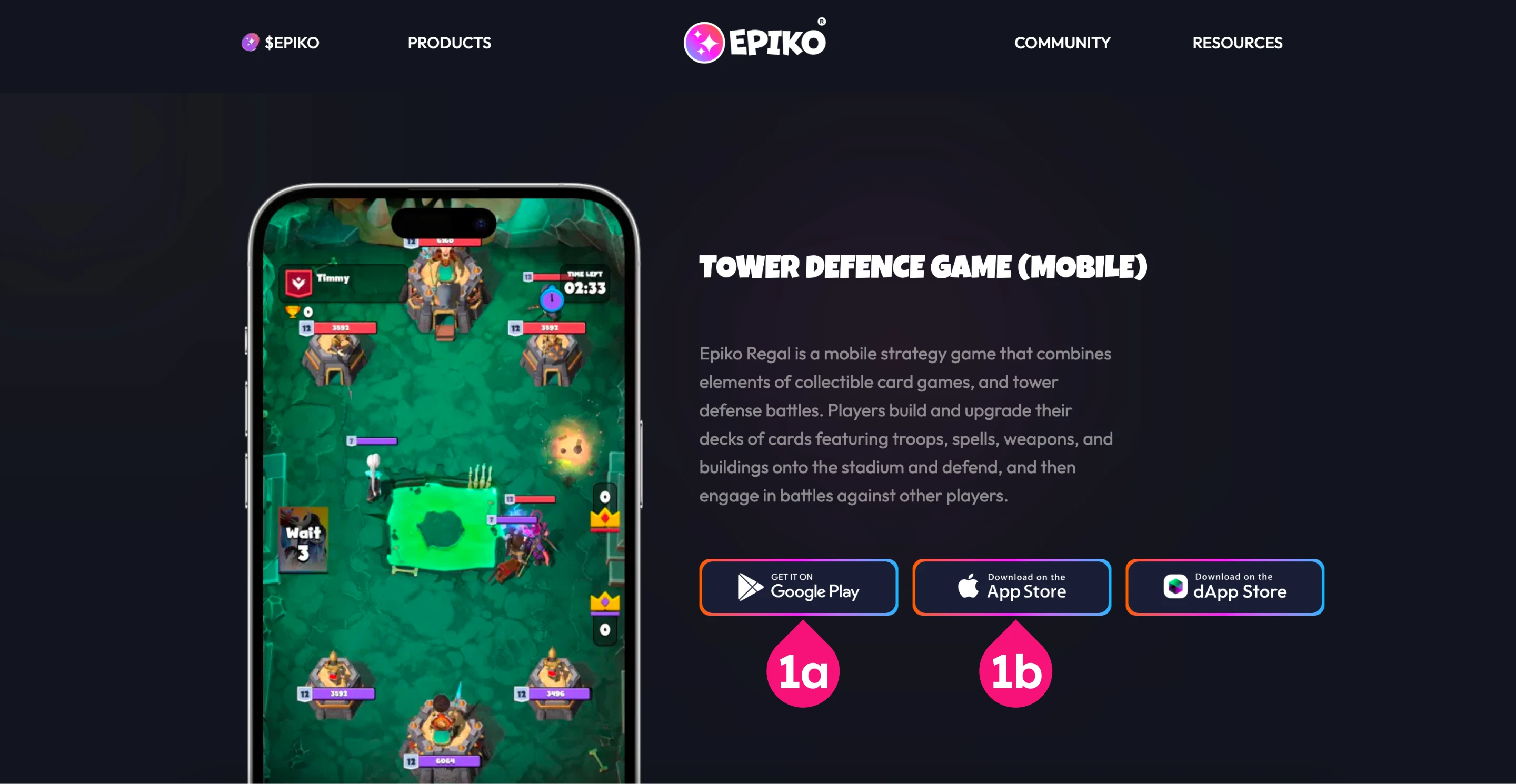
Step 1: Download and Install Epiko Regal App
Navigate to this link to download and install the Epiko Regal App for your device.
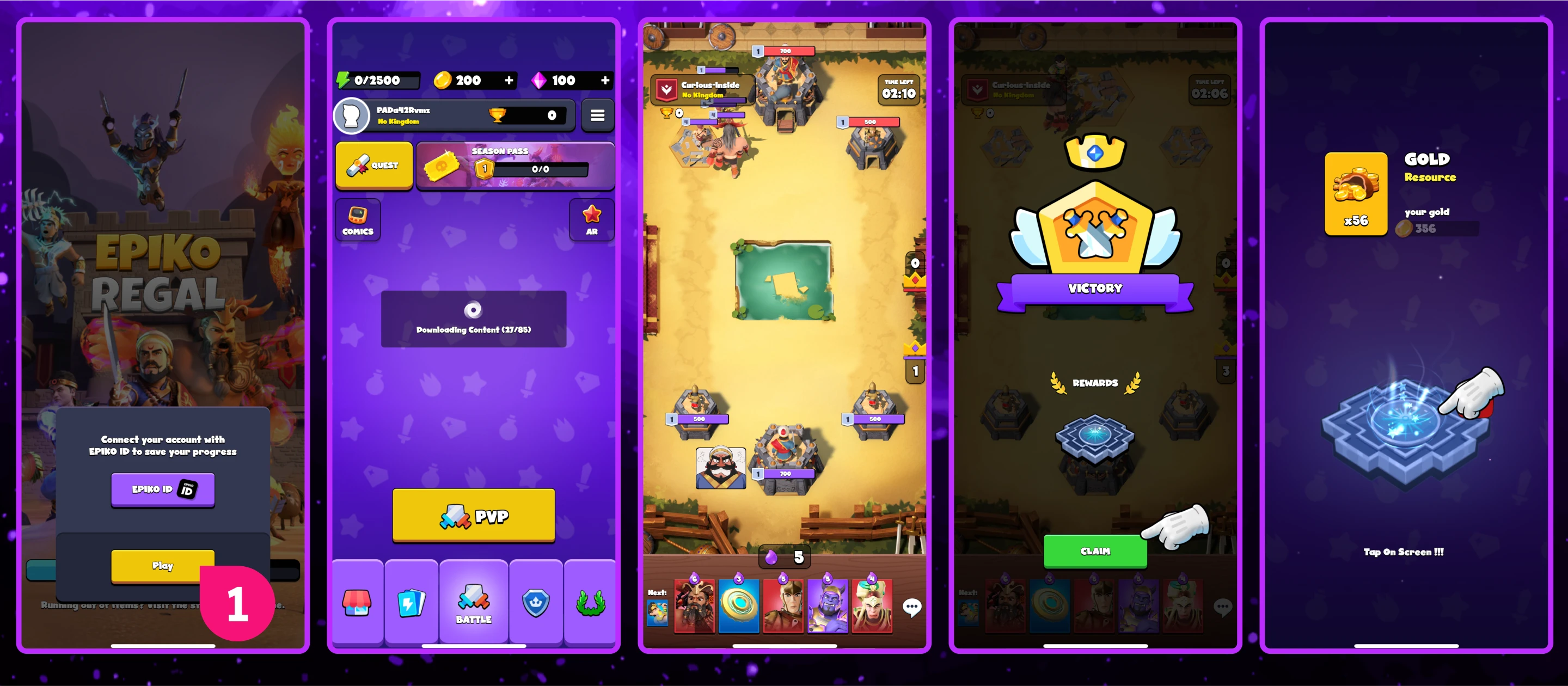
Step 2: Sign Up with Your Email Address in the Epiko Regal App
Once the app is installed, tap “Play” to launch the game.
The app will automatically download additional content. Keep your screen active during this process.
Wait for the download to complete and follow the on-screen instructions to explore the game. Once done, proceed to the next steps.
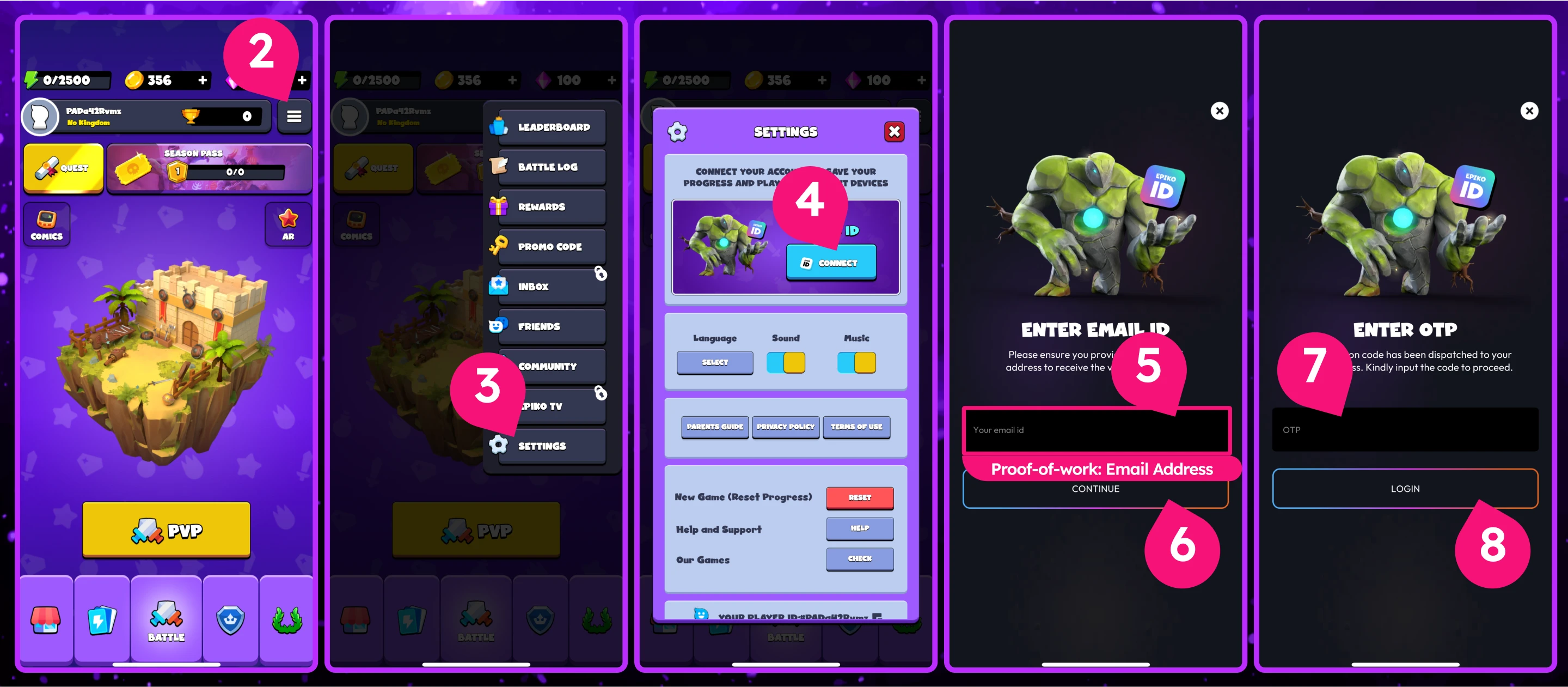
Tap the “Options” button in the top-right corner of the home screen.
Go to “Settings” and select “Connect” to create your account.
Enter a valid email address to receive a verification code.
Check your email, retrieve the OTP, and enter it in the app.
Select an avatar, save your settings, and log in successfully.
Important Note: The email address used to sign up for the Epiko Regal App will serve as your first proof of work.
Important Note: The email address used to sign up for the Epiko Regal App must be the SAME email address used to verify your account on Epiko Market. (More details in Step 3.)
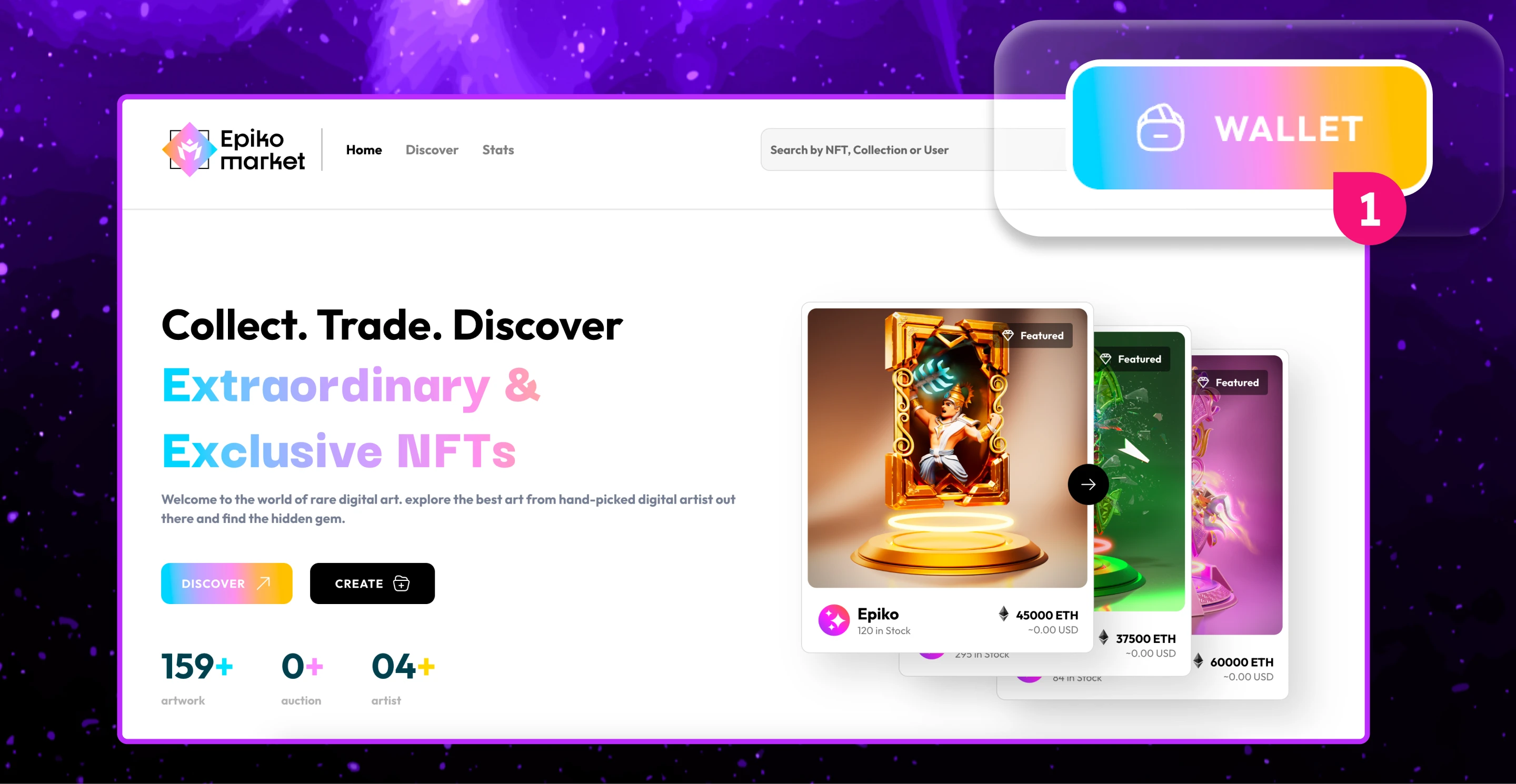
Step 3: Connect Your Wallet to the Epiko Market
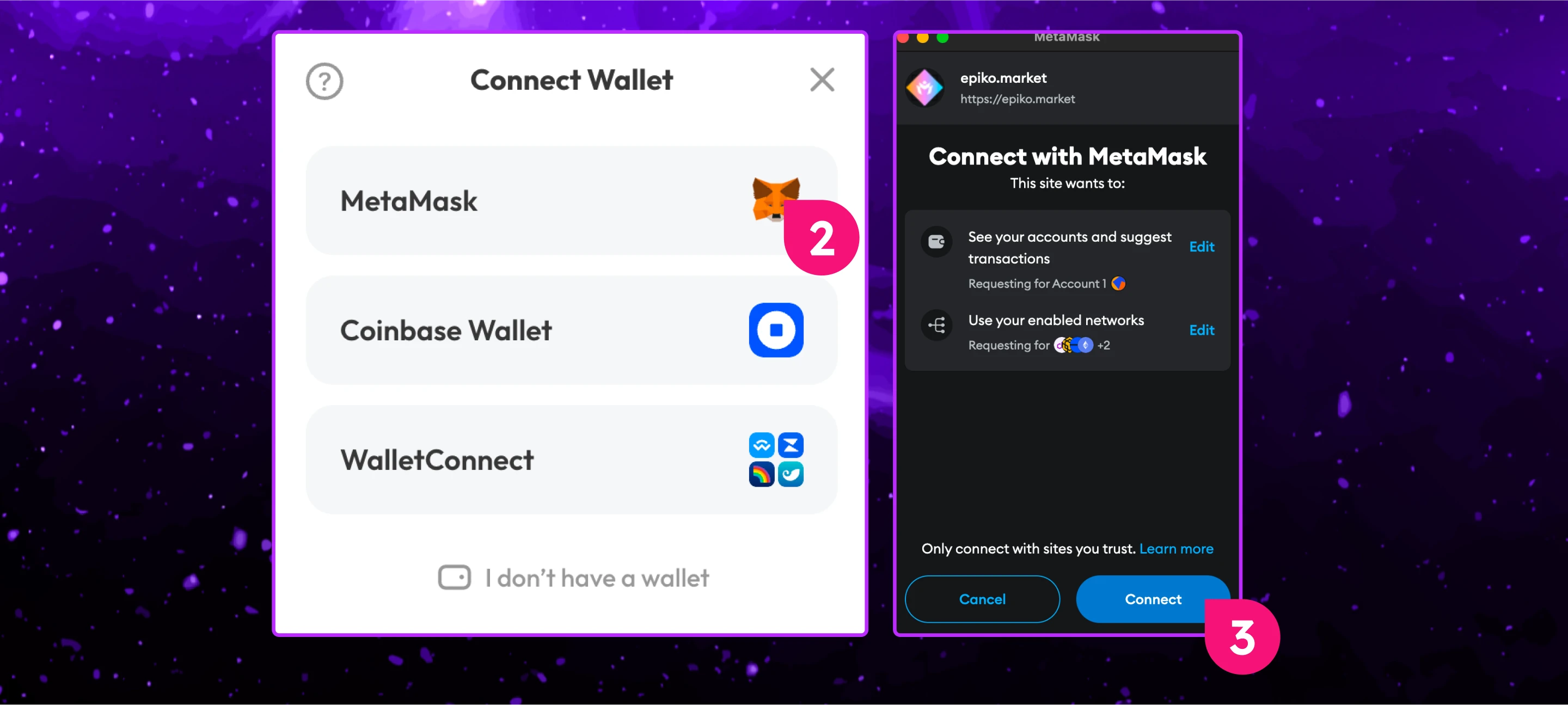
Navigate to this link and click the “Wallet” button in the top-right corner.
Tap the Wallet icon in the top-right corner.
Choose a wallet provider (e.g., MetaMask).
Follow the prompts to connect your wallet account.
Important Note: The wallet address used to connect to the Epiko Market will serve as your second proof of work.
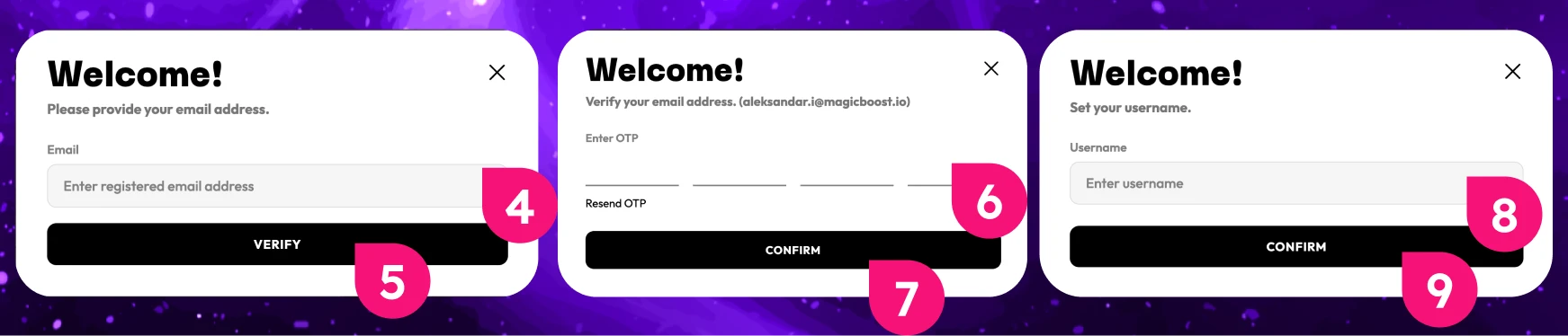
Add and verify your email address by entering the OTP code sent to your email.
Set your username and click on "Confirm".
Important Note: The email address used to sign up for the Epiko Regal App must be the SAME email address used to verify your account on Epiko Market.
You’ll be eligible for the reward after you have downloaded and installed the Epiko Regal App, explored the game, signed up with your email address in the Epiko Regal App, visited the Epiko Market website, connected your wallet, verified your email address and set your username.
Proof-Of-Work Note: Submit your Email address that you have used to Sign Up to Epiko Regal App and submit your Wallet address that you have used to connect to Epiko Market Website in the 'Proof-of-Work' task for the SoQuest Campaign. Which can be found under the Epiko Market Hot Offer. Please be patient, as approval may take 72 hours or longer, excluding weekends. All approvals are being handled by the Epiko Market team. If you are among the first 1250 users to successfully complete all tasks, the $2 USDT will be added to your MagicID balance.